Want to make your Free Fire nickname appear blank or add an invisible gap between two words?
A Free Fire invisible name is created using special Unicode characters that appear blank when displayed. The nickname is not actually empty—the game receives a real character, but that character has little or no visible appearance.
If you only want an invisible character to copy and paste, start with the options below.
Important: There is currently no official Garena list confirming which invisible Unicode characters are permanently supported. Compatibility can change after Free Fire updates, so always test the character in the nickname field before confirming a paid rename.
Free Fire Invisible Character Copy & Paste
Here are three commonly discussed blank-looking Unicode characters:
| Invisible Character | Copy Between Brackets | Unicode |
|---|---|---|
| No-Break Space | [ ] | U+00A0 |
| Hangul Filler | [ㅤ] | U+3164 |
| Braille Pattern Blank | [⠀] | U+2800 |
Copy only the blank-looking character inside the brackets, not the brackets themselves.
Which Invisible Character Should You Try First?
Current 2026 Free Fire guides disagree about which character works most reliably.
A practical order to test is:
- U+00A0 – No-Break Space
- U+3164 – Hangul Filler
- U+2800 – Braille Pattern Blank
- If a completely blank name is rejected, combine an invisible character with a small visible symbol.
Do not spend Diamonds or use a Rename Card until the nickname is successfully accepted and previewed by the game.
Quick Copy: Free Fire Invisible Names
Below are several combinations you can try.
U+00A0 No-Break Space
Copy the blank character between these brackets:
[ ]
Unicode: U+00A0
U+3164 Hangul Filler
Copy:
[ㅤ]
Unicode: U+3164
U+2800 Braille Pattern Blank
Copy:
[⠀]
Unicode: U+2800
Two Hangul Fillers
[ㅤㅤ]
Two Braille Blank Characters
[⠀⠀]
Mixed Invisible Characters
[ㅤ⠀]
If a completely invisible nickname is rejected or already unavailable, try a partially invisible version.
Examples:
ㅤ亗ㅤツ亗ㅤAㅤㅤX〆ㅤメㅤ
These remain visually minimal while adding another character that may help distinguish the nickname.
What Is a Free Fire Invisible Name?
A Free Fire invisible name is an in-game nickname containing Unicode characters that look blank when rendered.
This is different from simply leaving the nickname field empty.
The account still has characters stored in its IGN, but those characters may display as empty space.
For example, the normal space created by pressing your keyboard’s space bar is:
U+0020 SPACE
The characters commonly used for invisible names are different Unicode characters, including:
- U+00A0 — NO-BREAK SPACE
- U+3164 — HANGUL FILLER
- U+2800 — BRAILLE PATTERN BLANK
That is why pressing the normal space bar may be rejected while certain Unicode characters can behave differently.
U+3164 vs U+2800 vs U+00A0
| Unicode | Official Name | Appearance | Free Fire Situation |
|---|---|---|---|
| U+00A0 | No-Break Space | Blank space | Reported working by some current sources |
| U+3164 | Hangul Filler | Blank/filler | Classic method; current compatibility reports conflict |
| U+2800 | Braille Pattern Blank | Fixed-width blank | Used as an alternative by some current tools |
The important distinction is that the Unicode definitions are established, while Free Fire nickname compatibility is controlled by the game.
Garena can change nickname filtering through future updates.
What Is Unicode U+3164?
U+3164 is officially known as HANGUL FILLER.
The character looks like this:
ㅤ
It belongs to Unicode’s Hangul Compatibility Jamo block and became one of the most popular characters used in older Free Fire invisible-name tutorials.
Because it often appears visually empty, players began using it to create blank-looking nicknames and spaces.
However, a method working in an older version of Free Fire does not guarantee that it will continue working after newer updates.
Copy U+3164
Copy the character inside:
[ㅤ]
What Is U+2800 Braille Pattern Blank?
U+2800 is officially called BRAILLE PATTERN BLANK.
Copy:
[⠀]
Despite looking like empty space, it is an actual Unicode character.
Unicode describes U+2800 as a Braille character that is commonly displayed as a fixed-width blank.
That makes it useful as an alternative when normal whitespace is rejected.
Copy U+2800
[⠀]
As with every invisible-character method, test it inside Free Fire before completing a rename.
What Is U+00A0 No-Break Space?
U+00A0 is called the NO-BREAK SPACE, often shortened to NBSP.
It resembles an ordinary blank space but has a different Unicode value from the normal keyboard space.
Normal space:
U+0020
No-Break Space:
U+00A0
Copy U+00A0
Copy the character inside:
[ ]
Some current Free Fire-related sources report that U+00A0 can work with recent nickname validation.
Because this is not a permanent compatibility guarantee from Garena, it should still be tested directly in the game.
How to Make an Invisible Name in Free Fire MAX
Creating an invisible Free Fire MAX nickname is relatively simple.
Step 1: Copy an Invisible Character
Start with one of the following:
No-Break Space
[ ]
Hangul Filler
[ㅤ]
Braille Pattern Blank
[⠀]
Copy only the character inside the brackets.
Step 2: Open Free Fire MAX
Launch Free Fire MAX and log in using your normal account.
For Indian players, Free Fire MAX remains the relevant officially distributed version through Google Play India as of August 2026.
Step 3: Open Your Profile
Tap your profile or avatar from the main game screen.
This opens your player information.
Step 4: Open the Nickname Editor
Look for the edit or pencil icon beside your current nickname.
Tap it to open the rename interface.
The exact design may change after Free Fire updates, but nickname editing is generally accessed through the player profile.
Step 5: Remove Your Existing Nickname
Delete the existing name from the nickname field.
Make sure no unwanted spaces or characters remain.
Step 6: Paste the Invisible Character
Long-press inside the nickname field and choose Paste.
If one character is rejected, try:
- Two copies of the same character
- Another invisible-character type
- Two different invisible characters
- One invisible character plus a small symbol
For example:
ㅤㅤ
⠀⠀
ㅤ⠀
ㅤ亗
Step 7: Check the Preview
Before confirming, check whether:
- The Confirm button becomes available
- No square symbols such as
□appear - The invisible character remains after pasting
- The game doesn’t display an invalid nickname warning
- The nickname appears the way you want
This is the most important step.
Step 8: Confirm the Rename
Complete the rename using the method displayed inside your account.
Several gaming guides currently report a direct nickname-change price of 390 Diamonds, while Rename Cards are also commonly referenced.
However, costs and availability can change.
Always trust the price and rename option shown inside your own Free Fire MAX account before confirming.
Can You Make a Free Fire Invisible Name Without Diamonds?
The invisible Unicode character itself is completely free to copy.
What may cost Diamonds is changing your existing nickname.
Therefore, making a Free Fire invisible name without Diamonds normally requires another rename method available to your account, such as:
- A Rename Card you already own
- A free rename opportunity
- A discounted rename event
- Another legitimate in-game rename option
The Unicode character itself does not require:
- A Diamond generator
- A modified APK
- Your Free Fire password
- A third-party login
- A hacking tool
Avoid websites promising unlimited Free Fire Diamonds simply for generating an invisible nickname.
How to Put an Invisible Space Between Words in Free Fire
You don’t have to make your entire nickname blank.
An invisible character can also be placed between two visible words.
For example:
DARKㅤKING
PROㅤPLAYER
FFㅤGAMER
ONEㅤTAP
GODㅤMODE
亗ㅤRAHUL
RAHULㅤ亗
This approach can be more useful than having a completely blank nickname because your friends and squad members can still identify you.
Small Invisible Space for Free Fire
Many players search for a small invisible space for Free Fire.
There isn’t an official Garena setting called a small invisible space.
Instead, different Unicode characters have different spacing and rendering properties.
Test these individually:
No-Break Space
[ ]
U+00A0
Hangul Filler
[ㅤ]
U+3164
Braille Pattern Blank
[⠀]
U+2800
Paste them into the actual nickname field and compare how they appear.
Why Is My Free Fire Invisible Name Not Working?
Invisible-name methods are not guaranteed to work permanently.
Here are the most common reasons they fail.
1. Free Fire Rejected the Unicode Character
Nickname filtering can change after server-side or game updates.
A Unicode character that worked previously may later stop being accepted.
Try another character instead.
For example:
U+00A0 → U+3164 → U+2800.
2. Your Browser Removed the Character
Invisible characters can be difficult for websites and browsers to handle.
Some editors automatically remove or normalize blank spaces.
If one copied character disappears, try another type such as Hangul Filler or Braille Pattern Blank.
3. The Invisible Name Already Exists
Two names may appear completely blank while containing identical Unicode characters underneath.
If Free Fire displays Name Already Exists, change the Unicode sequence.
For example:
Instead of:
ㅤ
try:
ㅤㅤ
or:
ㅤ⠀
or:
ㅤ亗
4. Blank-Only Names Are Being Rejected
Free Fire may apply validation rules that prevent certain completely invisible nicknames.
If that happens, create a partially invisible nickname instead.
Examples:
亗ㅤ
ㅤ亗
〆ㅤ
ㅤツ
ㅤX
5. You Copied the Brackets
If the page displays:
[ㅤ]
you should copy only:
ㅤ
Do not include [ or ].
The brackets are only there to make the otherwise invisible character easier to identify.
6. Your Keyboard Changed the Character
Some mobile keyboards or clipboard tools may modify whitespace.
Try this:
- Copy the invisible character.
- Paste it into your phone’s Notes app.
- Check that it is still present.
- Copy it again.
- Paste it into Free Fire.
7. A Free Fire Update Changed Nickname Filtering
Free Fire continues to receive updates.
A Unicode character working today does not prove that it will remain accepted forever.
That is why you should be cautious of websites claiming an invisible-name method is “100% working forever.”
Always test before confirming.
Free Fire Says “Name Already Exists” — What Should You Do?
If your invisible nickname already exists, you need a different underlying Unicode sequence.
Try:
ㅤㅤ
⠀⠀
ㅤ⠀
Or add a minimal visible character:
ㅤ亗
ㅤツ
ㅤX
亗ㅤ
〆ㅤ
Two names can look almost identical while containing different Unicode sequences.
However, availability can never be guaranteed.
Is a Free Fire Invisible Name Safe?
An invisible Unicode character is simply text.
It is not the same as installing a cheat, mod menu, modified APK, or other game-altering software.
However, how you use your nickname still matters.
Garena’s Community Standards prohibit behavior including areas such as:
- Cheating
- Scams
- Spam
- Profanity
- Harassment
- Misrepresentation or impersonation
Do not use an invisible or stylized nickname to:
- Pretend to be Garena staff
- Pretend to be an official account
- Harass another player
- Hide abusive content
- Facilitate a scam
- Mislead other players
There is no need to install unofficial software merely to create invisible Unicode text.
Does Invisible Name Work in Free Fire MAX?
Invisible-name techniques are widely discussed for both Free Fire and Free Fire MAX.
For Indian users, Free Fire MAX remains available on Google Play India as of August 2026.
What cannot be guaranteed is permanent support for a specific Unicode character.
The safest rule is simple:
If your current Free Fire MAX nickname screen accepts the character and displays it correctly, evaluate the final result there before confirming the rename.
Invisible Name vs Invisible Space
Although these terms are often used interchangeably, they can mean different things.
| Term | Meaning |
|---|---|
| Invisible name | Most or all of the nickname appears blank |
| Invisible space | Blank Unicode character between visible text |
| Blank character | Unicode character with little or no visible appearance |
| Normal space | Standard U+0020 keyboard space |
| Hangul Filler | U+3164 |
| Braille Pattern Blank | U+2800 |
| No-Break Space | U+00A0 |
For most players, an invisible space inside a readable nickname is more practical than a completely blank username.
Free Fire Invisible Name Ideas
Here are some combinations you can experiment with.
Fully Blank-Looking Names
ㅤ
ㅤㅤ
⠀
⠀⠀
ㅤ⠀
Symbol + Invisible Character
亗ㅤ
ㅤ亗
〆ㅤ
ㅤツ
メㅤ
ㅤX
Free Fire Names With Invisible Space
DARKㅤKING
ONEㅤTAP
PROㅤFF
FFㅤMAX
GODㅤMODE
NOㅤFEAR
PROㅤPLAYER
Custom Invisible Name Templates
Replace NAME with your preferred nickname:
亗ㅤNAME
NAMEㅤ亗
NAMEㅤFF
〆ㅤNAME
NAMEㅤツ
メㅤNAME
For example:
亗ㅤRAHUL
RAHULㅤ亗
RAHULㅤFF
〆ㅤRAHUL
These designs can be more useful than copying the same fully invisible nickname used by many other players.
Which Invisible Character Is Best for Free Fire?
There is no reliable way to guarantee one permanent winner.
For 2026, this is the most practical strategy:
First Choice: U+00A0
No-Break Space
[ ]
Some current Free Fire sources report this character working with recent nickname validation.
Classic Choice: U+3164
Hangul Filler
[ㅤ]
This is historically one of the most widely used Free Fire invisible-name characters, although current compatibility reports conflict.
Alternative: U+2800
Braille Pattern Blank
[⠀]
This is another genuine Unicode blank-looking character commonly recommended by invisible-text tools.
Best Way to Test an Invisible Free Fire Name
Before paying for a rename:
- Copy one invisible character.
- Paste it into Free Fire’s nickname field.
- Check whether the game accepts it.
- Preview the nickname.
- If rejected, test the next Unicode character.
- If a blank-only name fails, add a small visible symbol.
- Confirm the rename only after everything looks correct.
Testing directly in the game is more reliable than trusting any website claiming a character will permanently work.
Frequently Asked Questions
What Is the Free Fire Invisible Name Code?
There is no single official Free Fire invisible-name code.
The most commonly discussed Unicode characters include:
- U+00A0 — No-Break Space
- U+3164 — Hangul Filler
- U+2800 — Braille Pattern Blank
Current third-party reports disagree about which is most reliable, so test them individually.
What Is Unicode 3164 for Free Fire?
Unicode U+3164 is officially called HANGUL FILLER.
The character looks blank in many interfaces:
ㅤ
It has historically been widely used for Free Fire invisible names, although current compatibility should always be tested.
Can I Copy an Invisible Space for Free Fire?
Yes.
You can copy Unicode characters such as:
ㅤ
or:
⠀
and paste them into Free Fire’s nickname field.
Whether they are accepted depends on the game’s current nickname validation.
Why Is Unicode 3164 Not Working in Free Fire?
Possible reasons include:
- Free Fire changed its nickname filter
- The nickname is already unavailable
- The browser removed the character
- Your keyboard changed the copied text
- Server-side validation differs
- Blank-only names are being rejected
Try U+00A0 or U+2800 as alternatives.
Is a Free Fire Invisible Name Free?
The Unicode character is free to copy.
Changing your existing nickname may still require a Rename Card, Diamonds, or whatever legitimate rename method your account currently shows.
Does an Invisible Name Work in Free Fire MAX?
Invisible Unicode characters are commonly discussed for Free Fire MAX, but Garena does not publicly guarantee permanent support for a specific character.
Test the character directly in your current nickname field.
Can an Invisible Free Fire Name Get You Banned?
Using ordinary Unicode text is not the same as modifying the game.
However, your nickname and behavior still need to follow Garena’s Community Standards.
Do not use an invisible nickname for impersonation, scams, harassment, or other prohibited activities.
What Should I Do If Free Fire Says “Name Already Exists”?
Change the Unicode sequence.
For example:
ㅤㅤ
ㅤ⠀
⠀⠀
or add a small symbol:
ㅤ亗
ㅤツ
ㅤX
The name may look nearly identical while containing different characters internally.
Final Recommendation
If your main goal is to create a unique Free Fire identity, a partially invisible nickname may be better than a completely blank one.
For example:
亗ㅤRAHUL
is still distinctive while making it easier for friends and squadmates to recognize you.
If you prefer a fully invisible nickname, test U+00A0, U+3164, and U+2800 directly inside your current Free Fire MAX nickname screen.
The most important thing to remember is:
Unicode character definitions remain stable, but Free Fire nickname validation is controlled by Garena and can change after future updates.
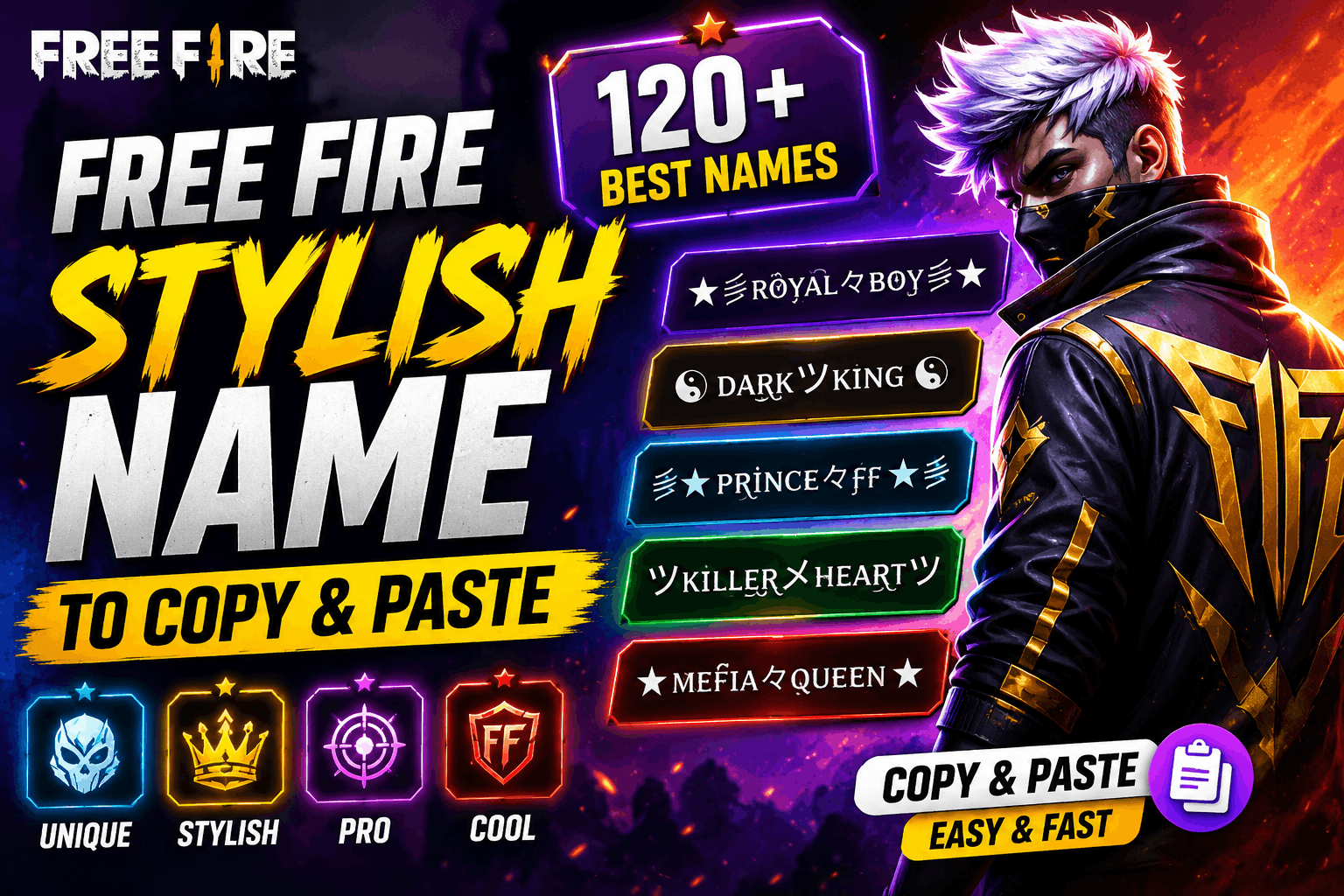
Recommended: Free Fire Stylish Name: 120+ Best FF Names to Copy & Paste
So avoid trusting “100% working forever” claims and always preview your nickname before completing a rename.
Editorial Note
Unicode character names in this guide should be distinguished from Free Fire compatibility. Unicode definitions are stable, while game compatibility can change after updates.
Unless a character has been personally tested on a specific Free Fire version, compatibility should be treated as a current community-reported method rather than a permanent guarantee.
Independent Website Disclaimer: FreeFireAdda is an independent gaming information website and is not affiliated with, sponsored by, or endorsed by Garena.